

Quick Reference for AI Agents & Developers - What this page covers:
Overview of the legacy CometChat Chat Widget, including supported platforms
(HTML, Bootstrap, jQuery, WordPress), dashboard setup, and widget features. -
Prerequisites: A CometChat account and
access to the Chats → Widgets section of the CometChat Dashboard. - Key
action: Set up your widget from the dashboard, then follow the HTML /
Bootstrap / jQuery integration
guide to embed it on your site.
- HTML / Bootstrap / jQuery
- WordPress
Prerequisite
- Login to CometChat Dashboard and select your app.
- Click on the Chats tab, then select Widgets from the left navigation pane.
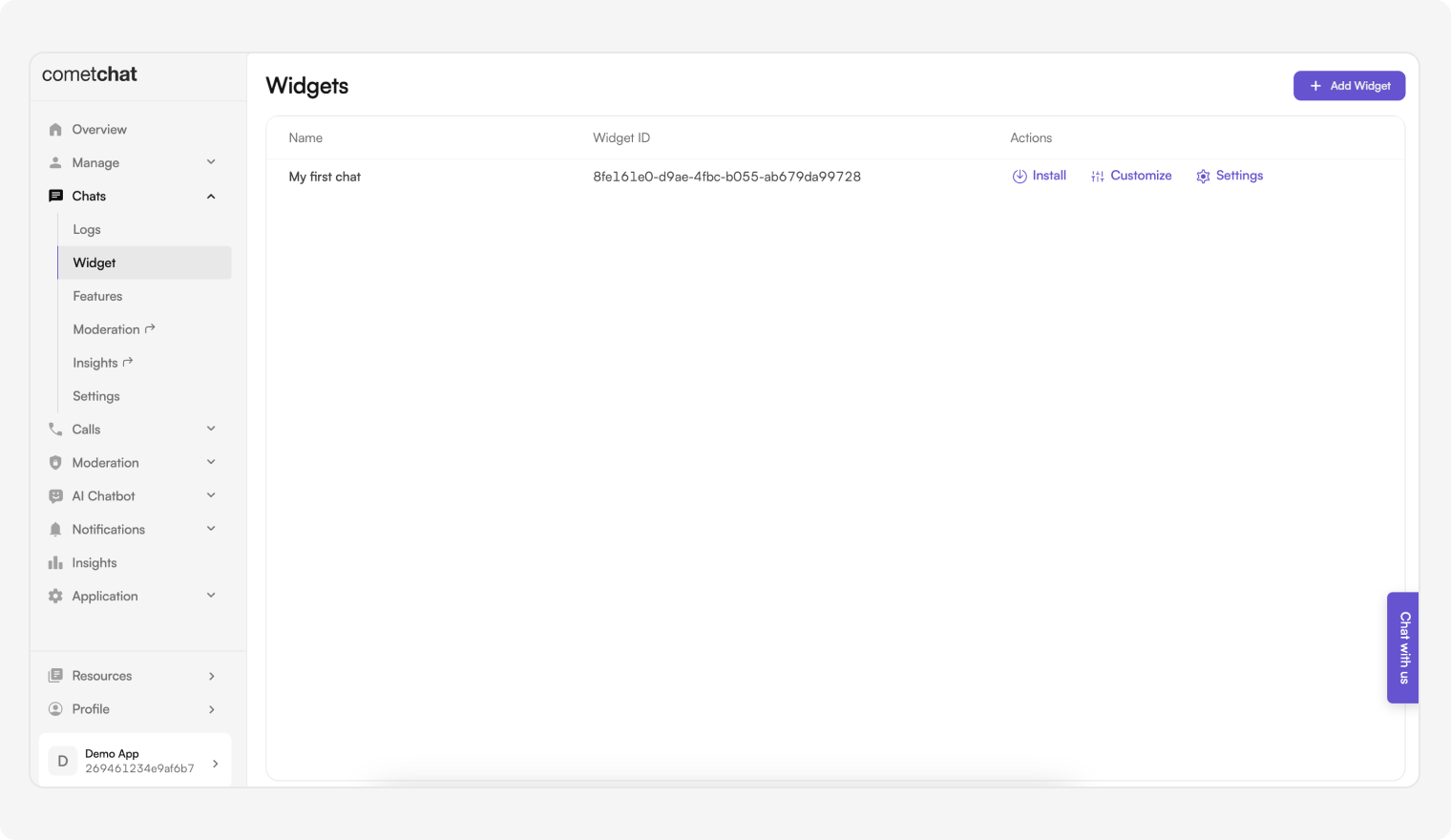
- You can create new widgets as well as see a list of existing ones here.
Features of Widget
| Features | Description |
|---|---|
| Install | This provides the required details about a widget so that it can be integrated in your website. |
| Customize | Change the widget’s name, docked layout icons and colors, custom JS and CSS. |
| Settings | Configure what shows up in the sidebar as well as in the chat component. |